
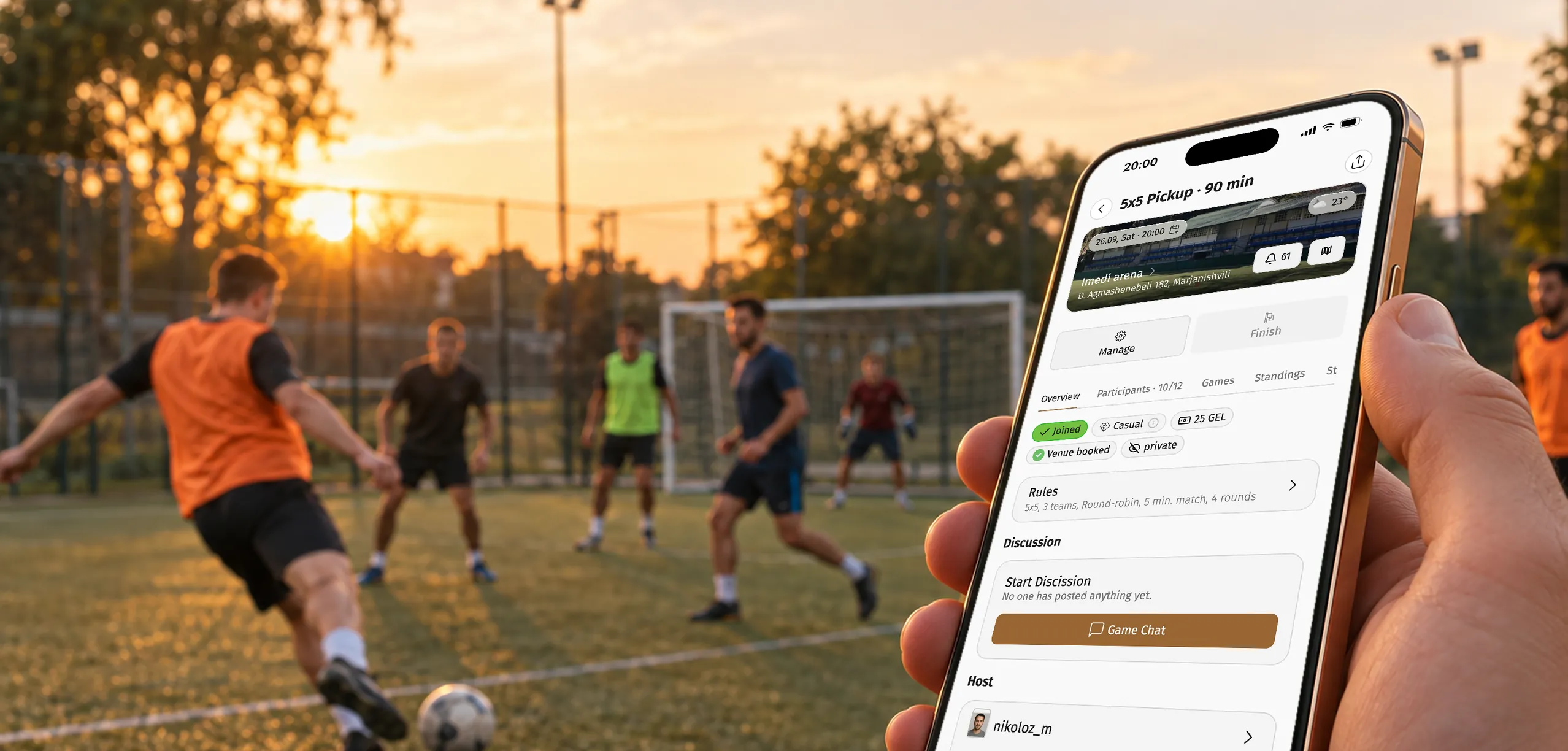
By Georgiy Nurov, Founder of Playbox · Updated
Short answer
To organize a football game, pick a pitch and an open time slot, set the format, price and rules, then share the game link until at least five players sign up. Before kick-off, balance the teams and generate the match schedule. On Playbox, recurring games, online payments and results tracking keep players coming back every week.
Organizing a football game is simple on paper and messy in practice. Most games die in a group chat. Someone asks who is in on Thursday, half the chat reacts with a thumbs up, three people actually show up, and the organizer spends the evening chasing money for the pitch.
Running a regular game does not have to feel like that. Below is the playbook we see working for organizers on Playbox: five steps that get a game on the pitch, then a set of optional bonuses that make players come back week after week. Every step links to a detailed Help Center article if you want to go deeper.
New to Playbox? See everything Playbox gives organizers or browse more guides on the Playbox blog.
How do you organize a football game in five steps?
Pick a slot on the pitch
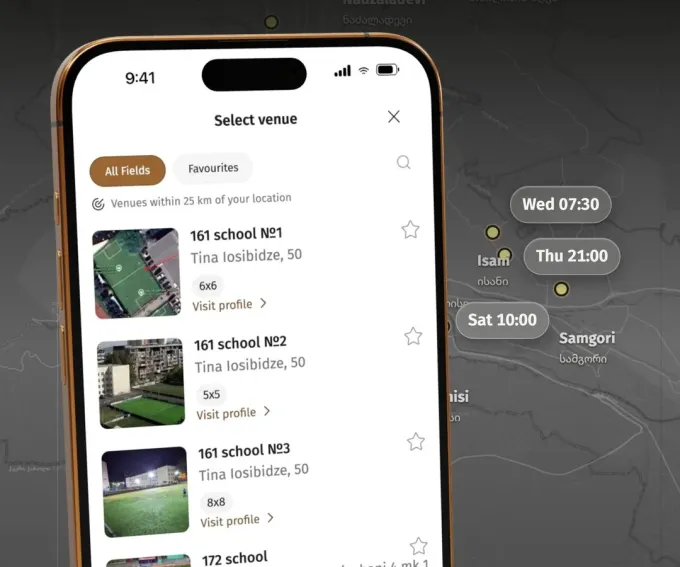
Choose a pitch on the map or add your own, and see which times are available.
Everything starts with a pitch and a time. On Playbox you pick a venue on the map, see its schedule and choose a slot that is actually available, instead of calling three places to find out.
If your pitch is not listed yet, add it yourself: it appears after a quick check. And if you own a pitch, you can become a partner and fill your empty slots with games from local organizers.
Set up the game details
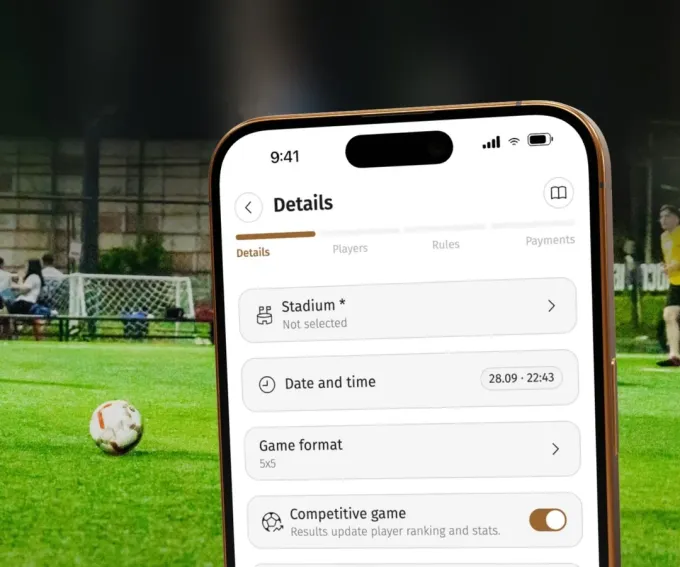
Pitch, date, time, format, gameplay, sign-up and entry rules, publishing. Then put it on autopilot.
Set the format (5v5, 7v7 and so on), the price, the number of players and the rules once: who can sign up, whether the game is competitive and counts for ratings, when it gets published and where it is announced.
Play at the same time every week? Turn the game into a recurring one. Playbox creates each new game ahead of time on the days you picked, two days in advance by default, and announces it in the chats you chose. Once the same game has finished twice in the same weekly slot, Playbox even offers autopilot right in the lobby.
Gather players or teams
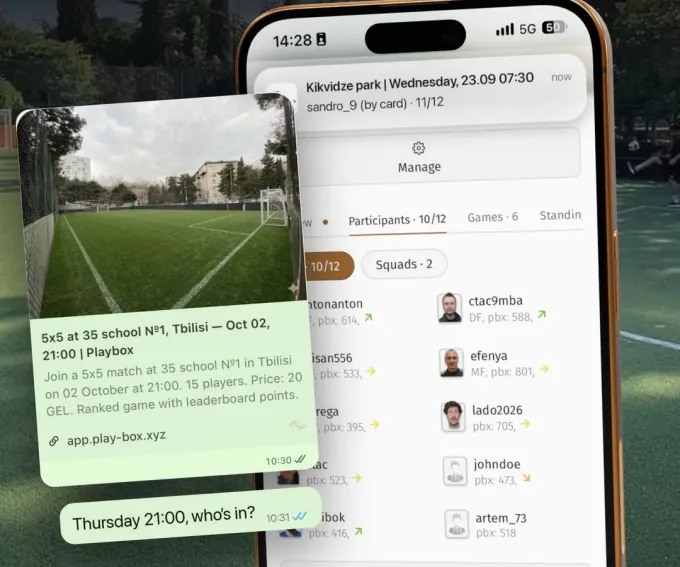
Share the link in your chat or let Playbox fill the empty spots with matched players.
Share the game link straight into the chat where your players already are. They do not need the app installed: the link opens in the browser or in Telegram and they sign up in one tap. Connect your Telegram chat once and every game you create is posted there automatically.
The first five sign-ups are yours to bring. From the fifth, Playbox takes over: the game enters the city feed and the daily digest, and smart fill invites matched players to the empty spots. For a team format, gather full teams instead of individual players.
Get ready for the game
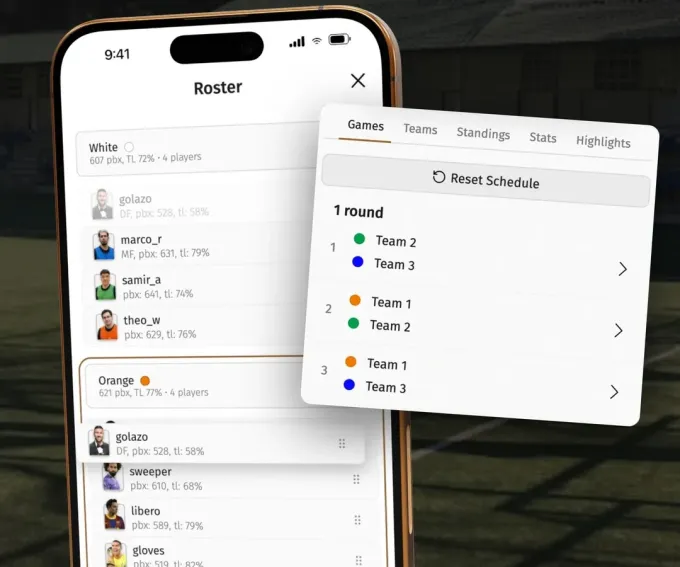
Balance teams with the app and generate the match schedule in one tap.
No more arguing about teams on the pitch. Playbox splits the players into balanced teams based on their ratings, and you can still drag anyone between teams before kick-off.
With three or more teams, generate the match schedule in one tap so everyone knows who plays whom and in what order. Share the lineups as a card to the chat and people arrive already knowing their team.
Enjoy the game

Play, host or both. Everything else is already done.
On match day there is nothing left to chase: the lineup is set, payments are in and the schedule is ready. Play in the game yourself, run it from the sideline, or both.
The match day checklist in the Help Center covers the small things that make a game run smoothly, from bibs and a ball to who keeps the score.
How do you keep players coming back every week?
None of these are required for a game to happen. They are what turns a one-off game into a weekly habit, and a group of players into a community.
Track and confirm results
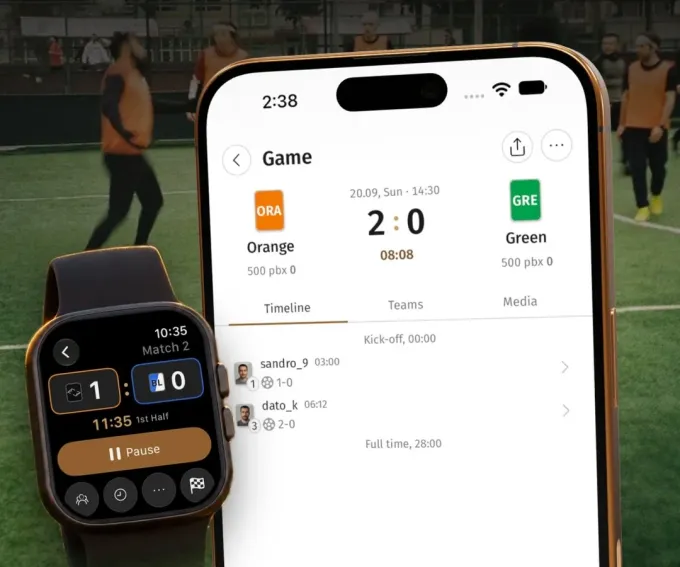
Log goals, highlights and subs from your phone or Apple Watch, then confirm.
Log every match detail as it happens: goals, assists, highlights and substitutions, from your phone or right from your wrist with the Apple Watch app. After the game you confirm the results.
Confirmed results move each player's rating and fill their personal stats. That is exactly why people come back: they want to see their numbers grow and win back a few rating points next week.
Stream the game
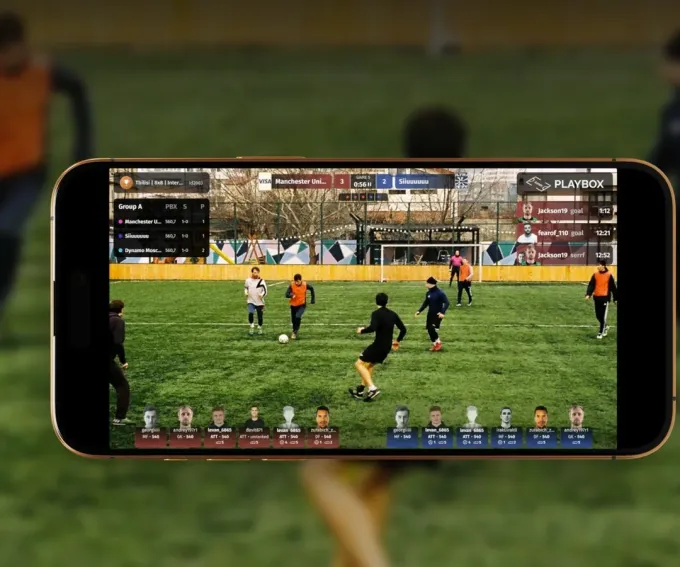
Customizable graphics, go live to the Playbox channel, post-game highlights with timecodes.
Put a phone on a tripod and go live. The stream carries your own graphics: live score, standings, lineups and your partners' logos, and it can go straight to the Playbox channel.
After the game, highlights come with timecodes for every goal, so players can find their moment and share it.
Get paid online
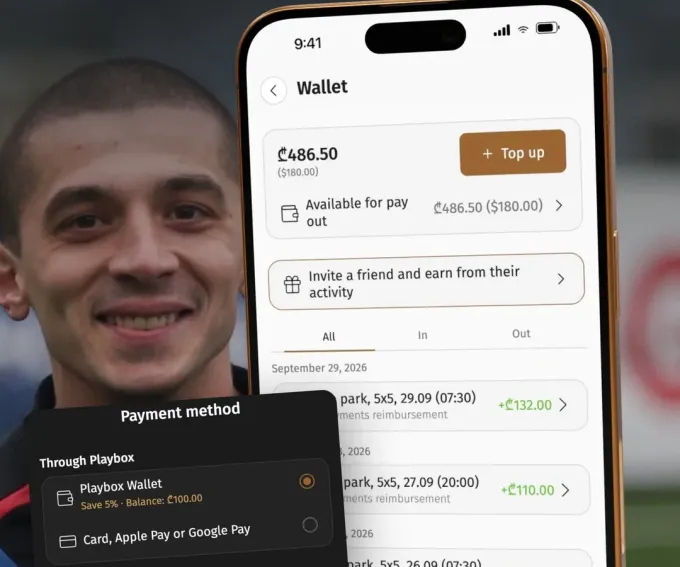
Players pay online before the game. Withdraw any time.
Set a price and players pay by card, Apple Pay or their Playbox wallet when they sign up. No more collecting cash on the pitch or chasing transfers after the game.
The money lands in your balance and you withdraw it when you want. Playbox takes a commission only on games that actually happened: 7% per player, with a minimum of $0.30.
Keep the game fair
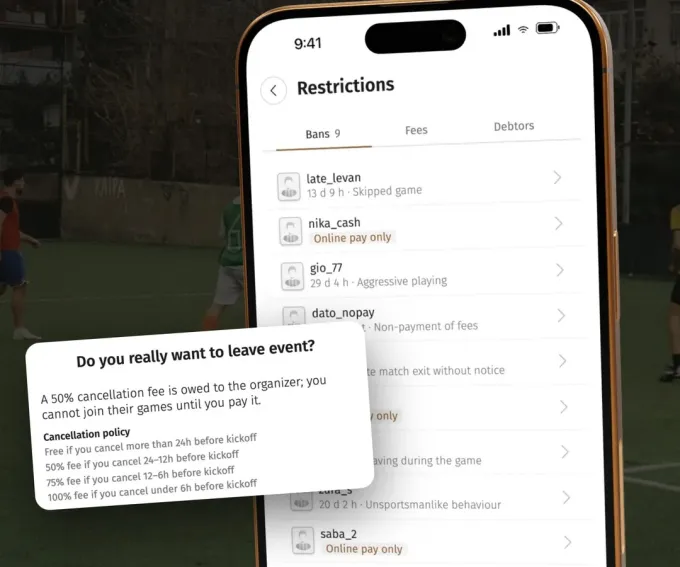
Ban, restrict and charge a late cancellation fee.
Set a late cancellation policy: a player who drops out close to kick-off owes a fee to you, and cannot join your games again until it is paid.
For repeat no-shows, ban a player for a set time or for good, or switch them to online pay only so they can still play but have to pay upfront.
Share content from the game
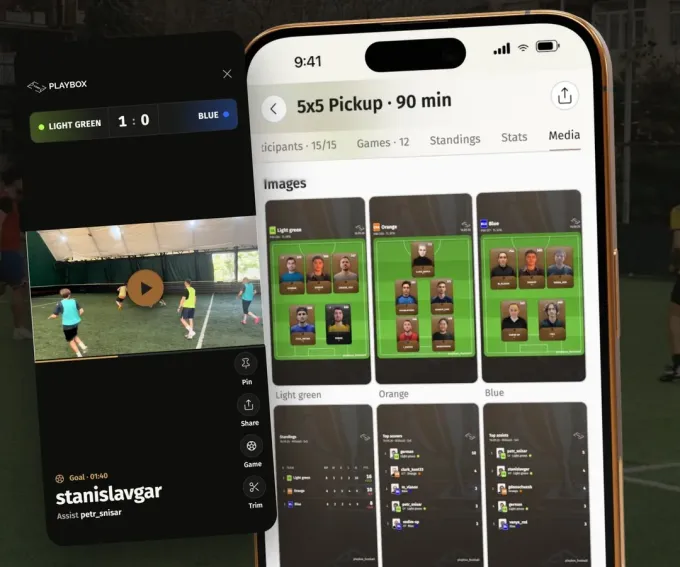
Goal clips and result cards, ready for social media.
Every game produces content by itself: goal clips from the stream, and ready-made cards with the lineups, standings, top scorers and top assists.
Post them to your Instagram or your chat and every game advertises the next one.
Bring your community
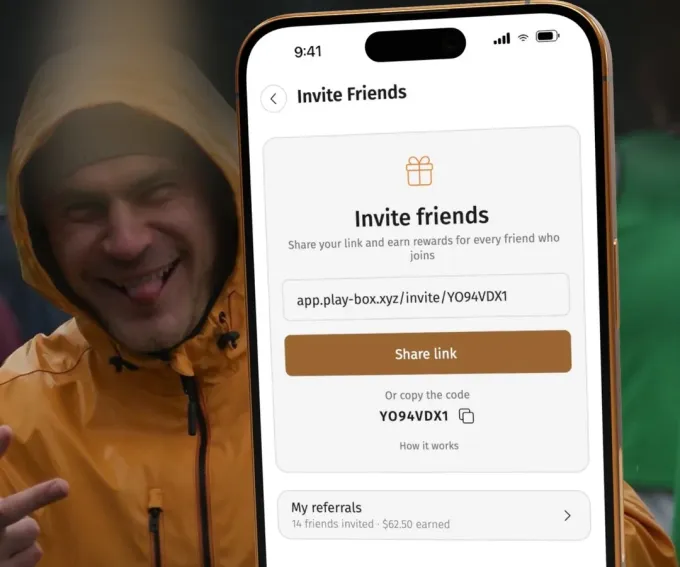
Invite your people and earn from their activity. Payouts go to your wallet.
Invite your people with your personal link. When the friends you bring play their games, you earn from their activity, and the payouts go straight to your wallet.
Build your branded community
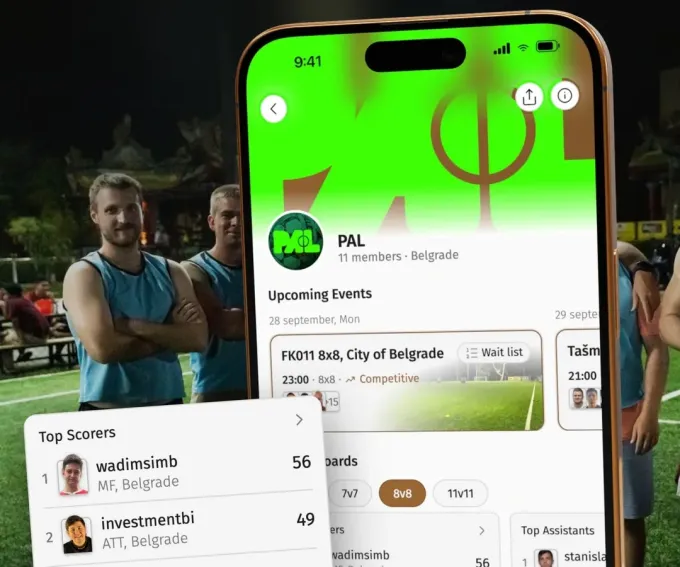
Your logo, members, games and leaderboards. Everything under your name.
Create a community with your own logo and cover. It gets its members and roles, its games, a community chat and its own leaderboards by format, counted only from the games played in your community.
Players see one place where your games live, and your brand grows with every match.
Questions organizers ask
Do players need to download the app?+
No. Share the game link and players join from the web app, the mobile app or the Telegram Mini App, creating an account in one tap with Google, Apple or Telegram.
How much does it cost to run a game on Playbox?+
For regular games Playbox charges 7% per player with a minimum of $0.30 per player, and only for games that were actually played. For leagues it is $2 per match played.
Can I set up a game that repeats every week?+
Yes. Set it up once in Recurring events and Playbox creates each game ahead of time on the days you picked and announces it in the chats you chose.
How do I fill a game if I do not have enough players?+
Bring the first five yourself by sharing the link in your chat. From the fifth sign-up the game appears in the city feed and daily digest, and smart fill invites matched players to the empty spots.